

Accidentals can be inserted as images within text lines by using the steps described in "Inserting Images And Sounds in MusEdit Scores".
Here is an example of a MusEdit score using this technique:


( AccidentalsAsEmbeddedImages.med )
To use this trick you will need images of accidentals (or other symbols). You can download the image collection below by right-clicking on the image and then choosing "Save Image As..." from the menu which pops up:

( AllMusEditSymbols-ByCategory.med )
Some symbols are available in a larger size too...
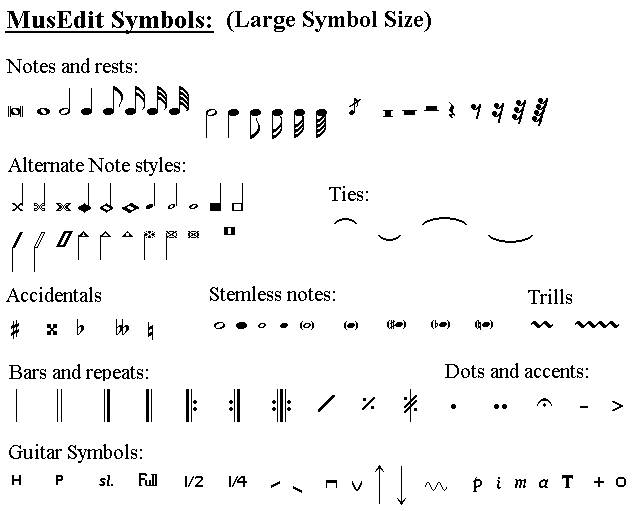
( LargeSizeMusEditSymbols.med )