


It's safer not to replace the current line since translating TAB fingering
can't always be reversed. For example, in some tunings certain notes
may no longer be playable and so they won't appear on the new tuning.
These dropped notes will not be recovered if you try to translate back
to the original tuning. Also, you may not completely agree with how
MusEdit fingered the new tuning, so it's handy to have the original line
available for reference when you make changes.
In the example below the top line has an arpeggio in standard
tuning. With the caret still the top line (at the end of the line
in this case) Options|Set TAB String Tuning was selected with the
new tuning set to ECFACE (lowest to highest string -the new tuning is shown
at the start of the Tab line):

As you can see, this greatly simplified the arpeggio, not only making
it easier to play, but also freeing left fingers to play more interesting
melodies and embellishmenst, if appropriate.
If you choose View|Show Line Lables you will see that the new lines have the letters AltT (alternate tuning) added to the original labels. This allows them to be differentiated from the original lines, so the two can be shown seperately from one another via View|Line Types to Show|Labeled Lines... When you choose this selection you will get the following dialog:
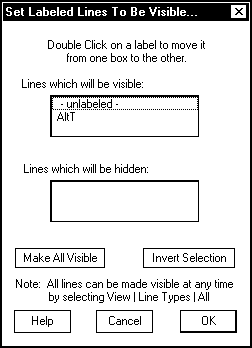
By double clicking on AltT you can temporarily hide the new lines.
Now you can show just Tab lines (showing only the original Tab lines) select
them all, and delete them. When you show all lines again only the
new alternate tuning lines will remain.